MERQORA Trader
The terminal: charts, one-click trading, the order ticket, positions and the instrument panel for 98+ markets.
35 indicators · 9 timeframes



MERQORA Trader in your browser and on your phone, and the Client Area for everything around the trade. One login, every screen.
MERQORA Trader is where you trade. The Client Area runs everything around it. Accounts, wallet, copy trading, prop, partners and support, all behind one login.
Sign in once with your MERQORA account. The same session works in the terminal, the Client Area and the mobile app.
The terminal: charts, one-click trading, the order ticket, positions and the instrument panel for 98+ markets.
35 indicators · 9 timeframes
Accounts, wallet, copy trading, prop challenges, the partner dashboard, Academy and support.
Everything around the trade
MERQORA Trader and the Client Area as a web app for Android and iOS.
Add to home screen · no store
Automated trading on request for professional clients: alerts, a REST API and server-side strategies.
By application
Chart first, watchlist on the side, everything else one click away.
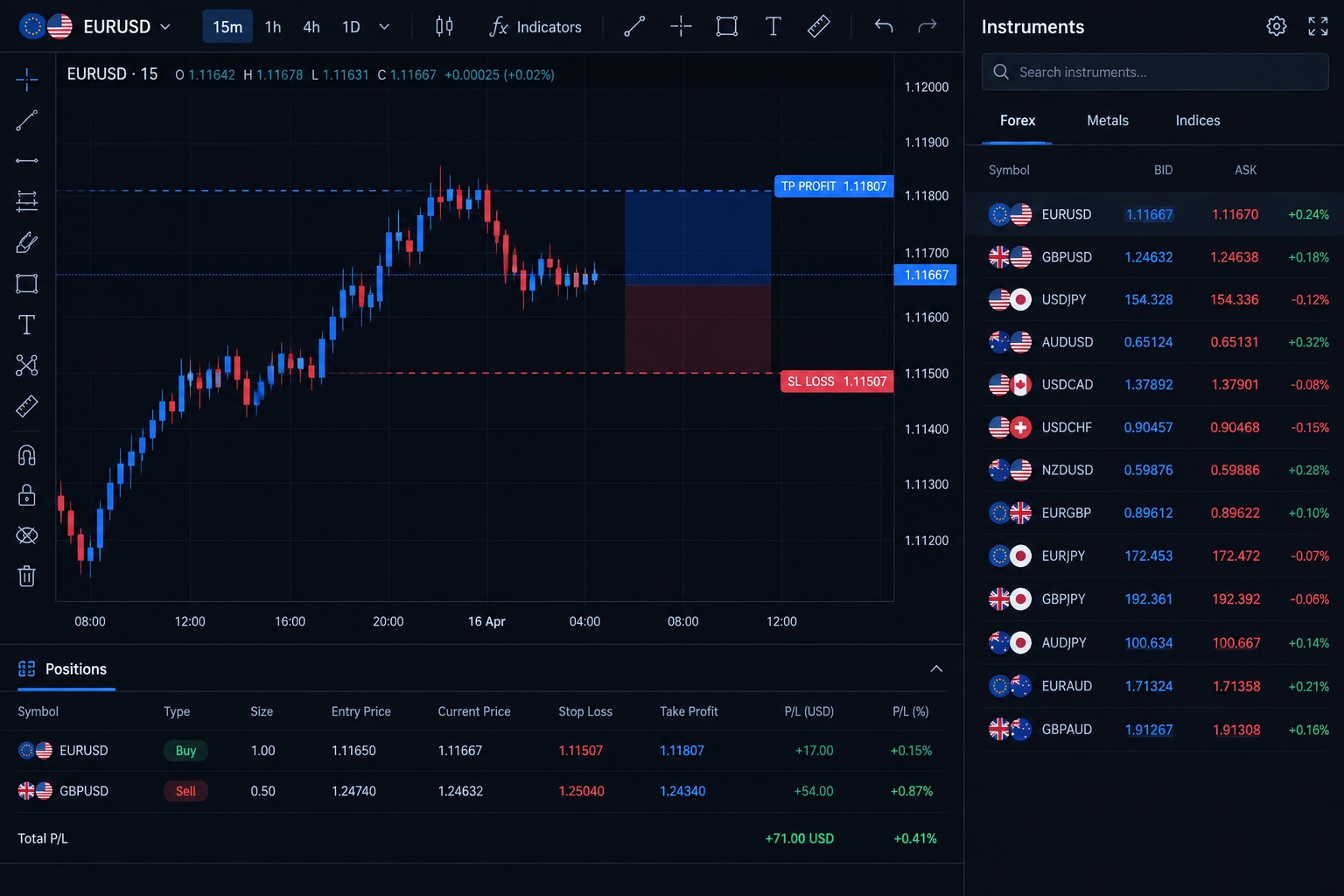
4 chart types, 9 timeframes from M1 to MN, 35 indicators and 6 drawing tools.
Market, limit, stop and stop-limit. Stop loss, take profit, a server-side trailing stop and expiries.
Sell and buy straight from the chart, or switch it off and use the ticket.
Drag stop loss, take profit, pending orders and alerts as lines.
The order book beside the chart, with limit orders in one tap.
Partial close, close by, and bulk close: all, winners, losers.
Hide everything but the chart when you want to focus.
Option chains, quick trade and the strategy templates for your Options account.
Accounts, money, copy trading, prop, partners, learning and support, from one home screen.
 Client AreaHomeOptionsSearch markets and actionsArjun M. · VerifiedTop up
Open CFD and Options accounts, live and demo; change leverage; reset passwords; download statements.
Deposit and withdraw; move money between wallet and accounts instantly.
Follow masters, invest in funds, or apply to become a master.
Buy a challenge, track every rule live, request payouts.
Referral links, clients, your network, commission and payouts.
Nine learning phases with short lessons and a glossary.
Upload your documents once; withdrawals open when approved.
Tickets from any page, with our team behind them 24/5.
The Client Area, MERQORA Trader and your options chain in one web app for Android and iOS. Add it to your home screen and it opens full-screen, keeps you signed in and sends notifications.
Client AreaDeveloperOptionsSearch markets and actionsArjun M. · VerifiedTop upAlerts, a REST API with scoped keys and strategies that run on our servers are available on application for professional and institutional clients.
No. MERQORA Trader and the Client Area run in any modern browser. On a phone, add the web app to your home screen and it opens full-screen like a native app.
Yes, as a web app for Android and iOS. Open www.merqora.co on your phone and add it to the home screen; it keeps you signed in and sends notifications.
English today, with the support desk answering in English, Hindi and Arabic. More interface languages are on the way.
Look around on demo prices, or register and trade live from $10.